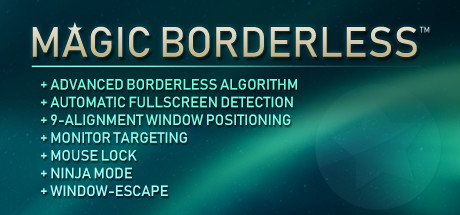
Magic Borderless on Valve's SteamOS devices
Magic Borderless — a game — pushes the Steam Machine hard — this RX 7600-class box is the limit, even at High. It's flagged Unsupported on the Steam Deck. A lighter title will feel far better on this hardware.
At a glance across Valve's SteamOS devices
Can the Steam Machine run Magic Borderless?
It's a stretch — Magic Borderless rates red on the Steam Machine: its demands sit above what an 8 GB VRAM, RX 7600-class console handles comfortably at 1080p. Reduced settings or cloud streaming are the honest options. Derived, not measured. Recommended RAM is 1 GB — comfortably within the Machine's 16 GB.
Steam Machine
~Radeon RX 7600 / GeForce RTX 4060 class · 8 GB GDDR6 (dedicated graphics memory) · 1080p–1440p native · 4K 60 with FSR upscaling
One call covering Low, Medium and High— this verdict is derived from Steam's compatibility data, which is a single signal per game, so we can't honestly split it by settings tier yet. Measure it on your Machine and this splits into three real tiers.
Struggles at the top settings?
You can still play it maxed-out by streaming from the cloud. Try cloud gaming (GeForce NOW / Game Pass).
Steam Deck
AMD RDNA 2, 8 CU (~1.6 TFLOPs) · 800p handheld (1280×800) · 15 W TDP
Steam Frame
2160×2160 per eye · 72–144 Hz · standalone + PC streaming
A flatscreen game. On the Frame it's played on a virtual big screen, best streamed from your Machine over the 6 GHz link.
Analysis — Magic Borderless on the Steam Machine
This game is GPU-bound on the Machine — frame-rate scales with resolution and post-processing, so upscaling (FSR) is your biggest lever when frames get tight.
8 GB of VRAM is comfortable for this title at 1080p; you're unlikely to hit the texture-streaming wall unless you push 1440p with max textures.
Start at the Low/Medium preset + FSR Balanced, then claw back quality: shadows and volumetrics first, textures last (VRAM permitting). If the top settings matter more than native rendering, cloud streaming is the honest answer.
Big screen → the Steam Machine (struggles). Handheld → not a fit for the Deck, or streamed to the Frame on a virtual screen.
What-if FPS estimator
Scales our base Steam Machine verdict by typical per-setting costs — a directional what-if, not a measured benchmark. Real results vary by title and scene.
Frequently asked
Can the Steam Machine run Magic Borderless?
It's a stretch — Magic Borderless rates red on the Steam Machine: its demands sit above what an 8 GB VRAM, RX 7600-class console handles comfortably at 1080p. Reduced settings or cloud streaming are the honest options. Derived, not measured. Recommended RAM is 1 GB — comfortably within the Machine's 16 GB.
Is Magic Borderless Steam Deck Verified?
Magic Borderless is currently flagged Unsupported on the Steam Deck.
Can you play Magic Borderless on the Steam Frame?
Magic Borderless is a flatscreen game. On the Steam Frame you'd play it on a virtual big screen, best streamed from a Steam Machine or PC over the 6 GHz link.
Compare prices across stores (not Steam)
The Steam Machine just launched — real FPS reports like yours replace our estimates, one game at a time.
Submit a resultGames with similar demands
 Not yet testedNot yet tested
DisplayFusion
Steam Machine
 Not yet testedNot yet tested
Zenkcraft
Steam Machine
 StrugglesStruggles
GlassWire
Steam Machine · high
 StrugglesStruggles
Borderless Gaming
Steam Machine · high
 Not yet testedNot yet tested
Desktop+
Steam Machine
 Not yet testedNot yet tested
Smart Game Booster
Steam Machine
How we know this
Inferred from this title's official SteamOS / Steam Deck compatibility rating, scaled to the Machine's roughly 6× Deck GPU power.
Every verdict is labelled by confidence. Numbers are estimates unless tagged “measured.”
Drop the live badge in your Reddit signature, a forum post, or a README.
Player comments
Loading comments…